Colour tells the story
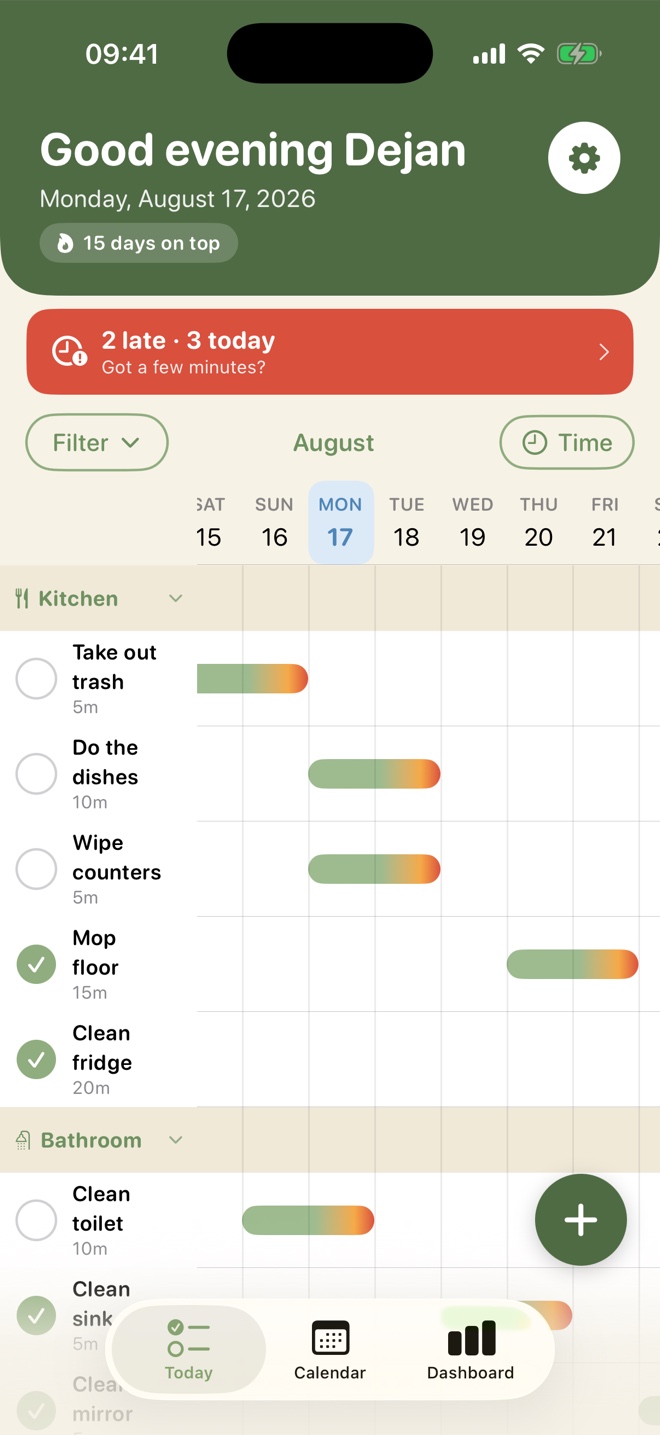
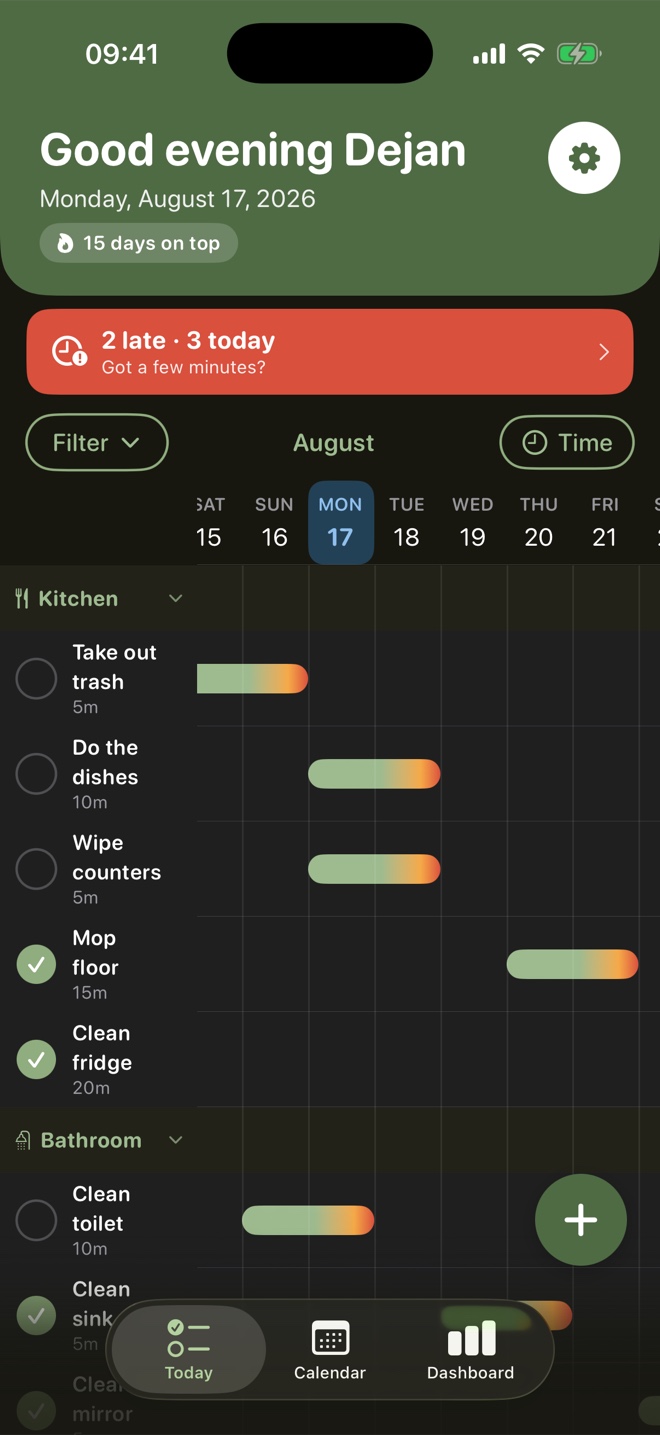
Every chore gets a bar running from green to red. Green is fine, amber means it's getting time, red means it really has been too long. No dates to read.
Coming soon to the App Store · for iPhone
Neat! lays every recurring chore side by side on a timeline, grouped by room. One look tells you what's due today, what can safely wait and what has been sitting far too long — no list on the fridge, no negotiating with yourself.
Most household chores aren't one-offs — they come back. An ordinary to-do app treats "clean the bathroom" as something you tick once and forget. Neat! is built around repetition, and around the question that actually matters: what needs doing now?
Every chore gets a bar running from green to red. Green is fine, amber means it's getting time, red means it really has been too long. No dates to read.
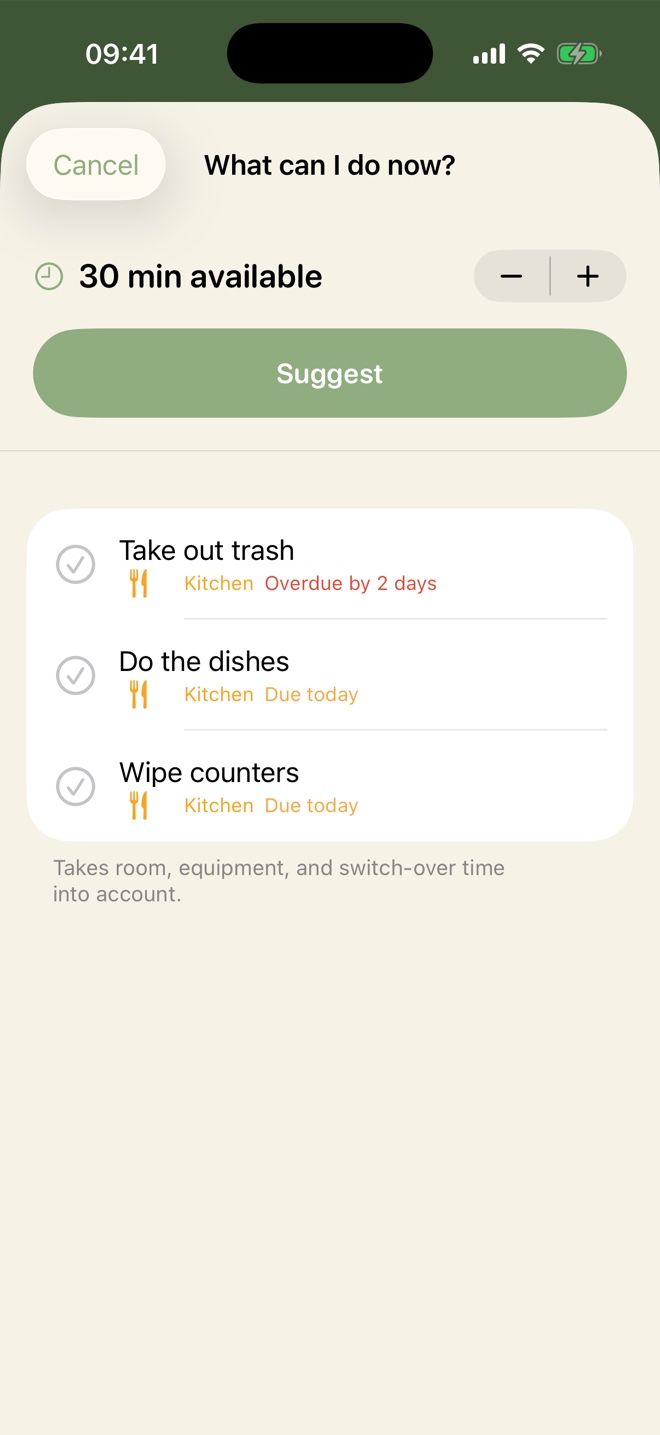
Twenty minutes before you head out? Neat! suggests a set of chores that genuinely fit, allowing for the time it takes to move between rooms and swap equipment.
No separate buzz per task. One calm summary a day, at a time you choose: what's due and roughly how long it will take.
The heart of the app. Every room stacked underneath each other, two weeks ahead and one week back, with a bar for each chore on the day it comes up. Collapse a room you'd rather not look at, or filter down to a single space.
Say how many minutes you've got and Neat! proposes a plan. It starts with whatever has been waiting longest, groups chores that happen in the same room or use the same kit, and counts the time it costs to switch between them.
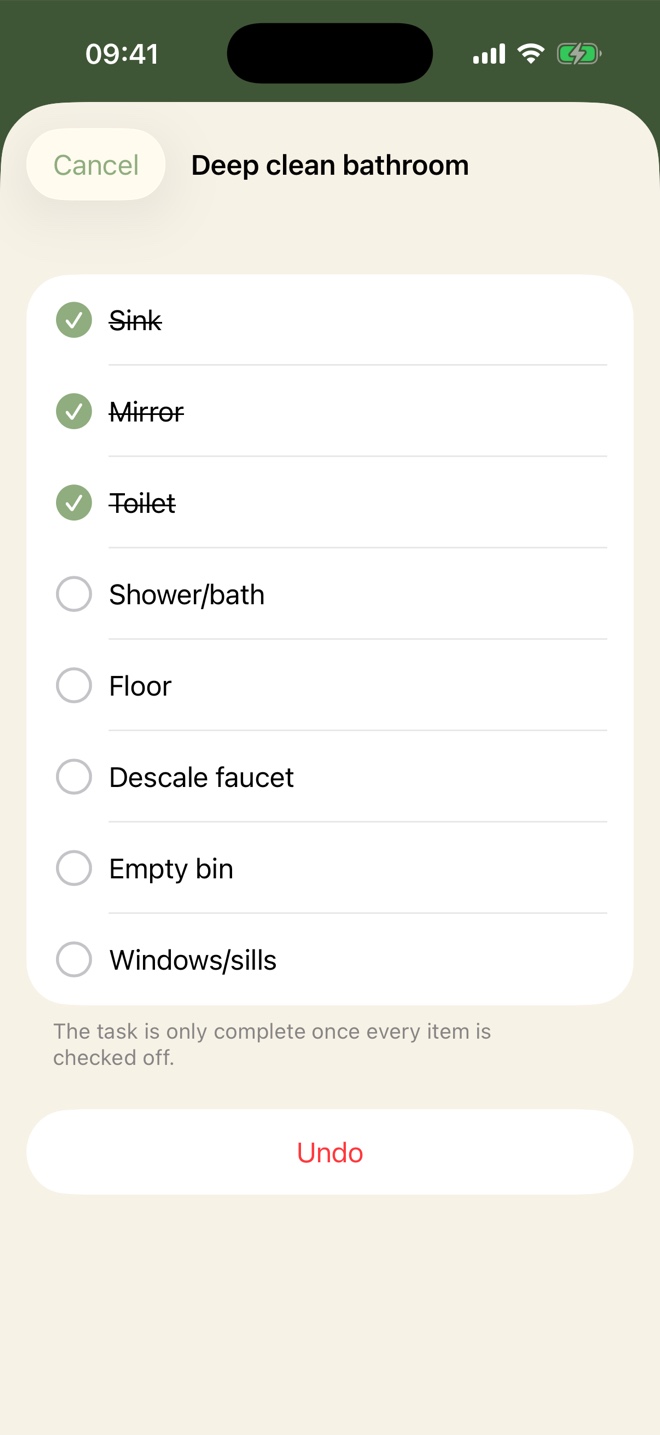
"Clean the bathroom" isn't one tick, it's eight small ones. Give a chore a checklist and it only counts as done once everything is ticked — useful when you get called away halfway and can't remember the next day where you left off.
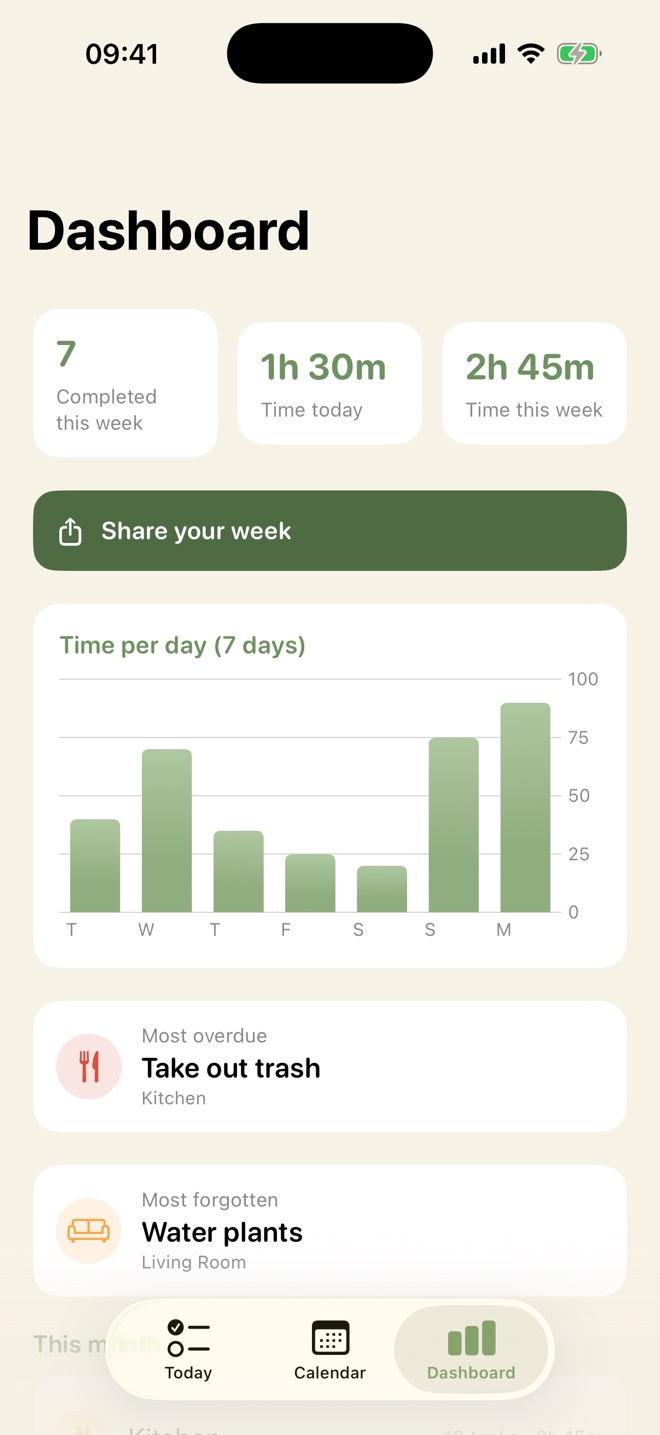
The dashboard shows how much you got done this week and how long it took, with a chart per day. It also points out which chore keeps slipping — usually a sign you scheduled it too often, not that you're failing.
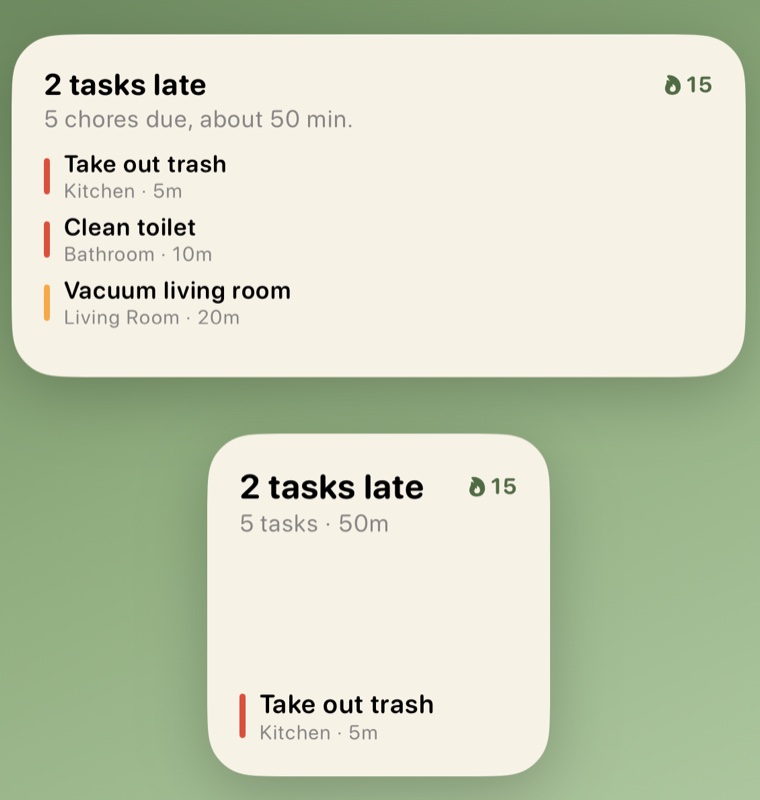
The widget puts today on your home screen: how much is overdue, how long it all takes together, and which chores are up next. Often that's enough to know it's fine — and then you never have to open the app at all.
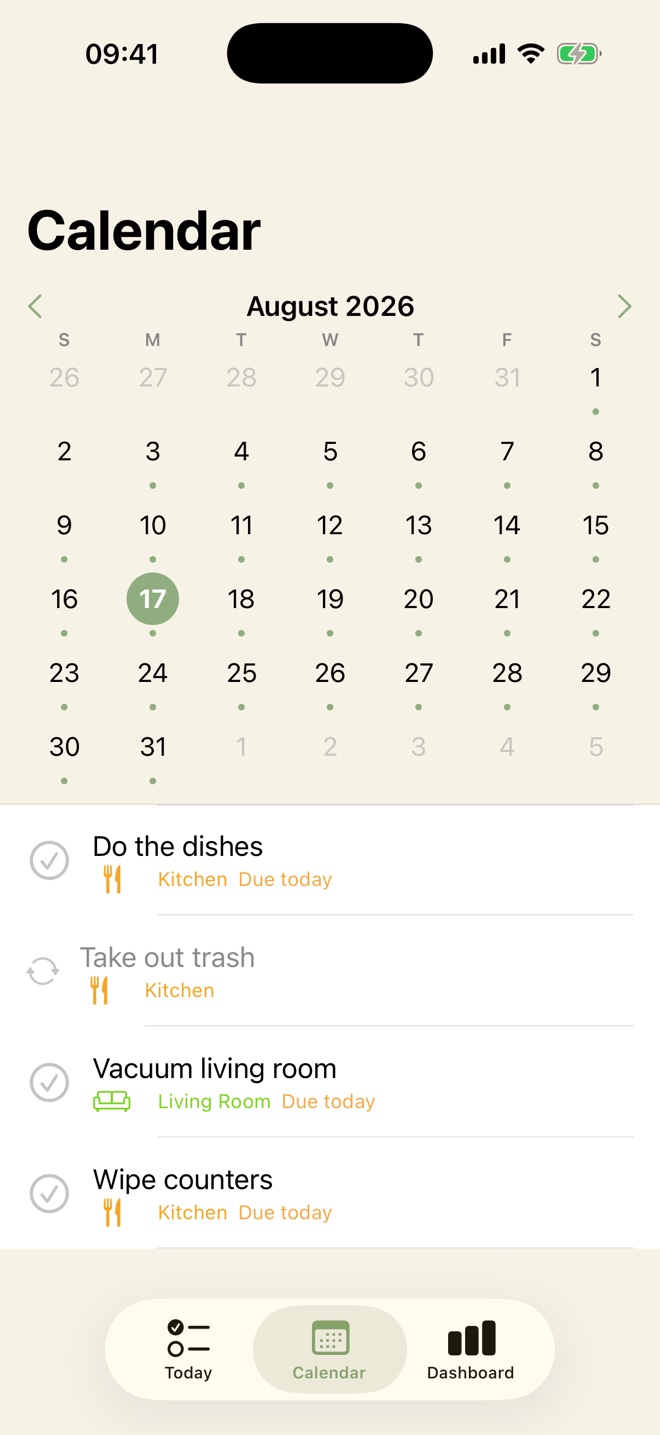
If you'd rather look month by month, the calendar marks what's coming up each day and what you've already done. And you decide how a chore repeats: every few days, weekly, or on fixed days.
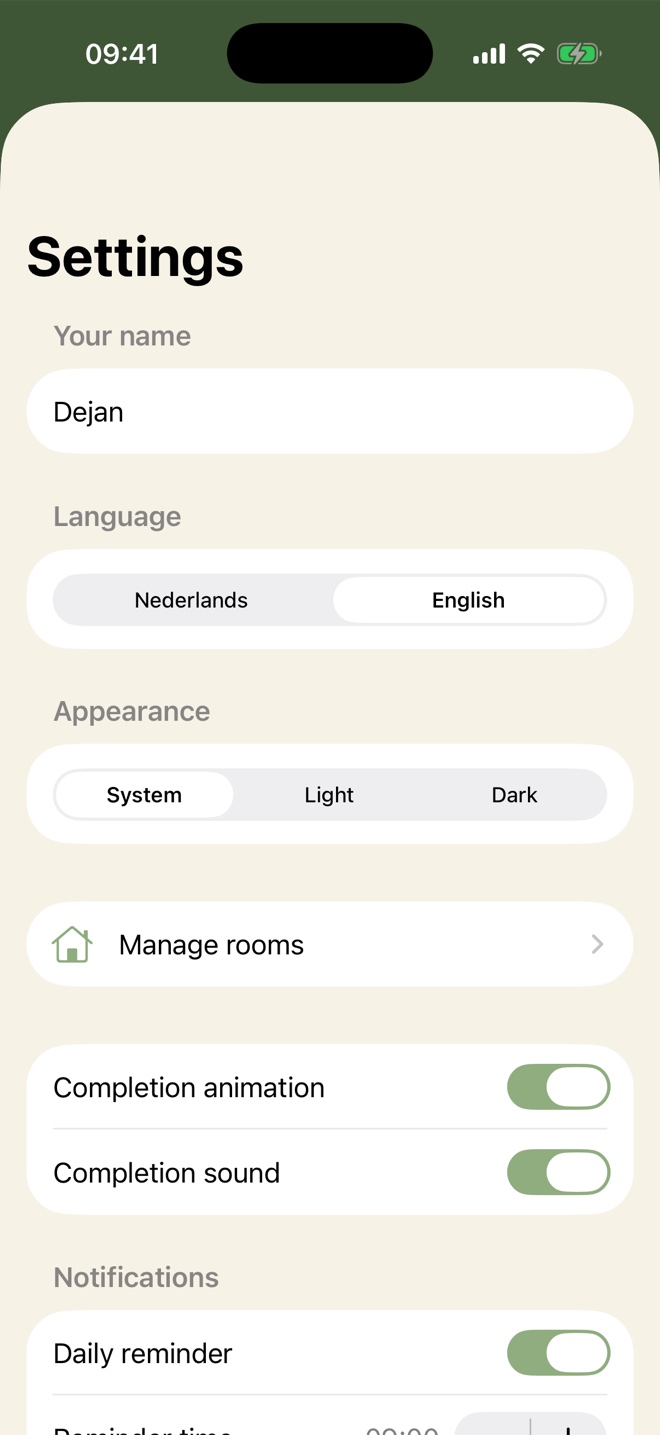
The whole app has a dark mode, and it simply follows your iPhone: dark in the evening, light again during the day. If you'd rather not, pin it to light or dark yourself. The colour bars stay just as readable either way.
No blank screen waiting for you to type in thirty chores. Neat! starts with suggestions and you tap away whatever doesn't apply.
Kitchen, bathroom, living room, bedroom, laundry, office, outdoors. Tap what you have — you can always change it later.
Each room comes with chores ready to go, with realistic durations and intervals. The everyday ones are already ticked; the rest is up to you.
From then on Neat! schedules the next round itself, keeps track of how long ago it was, and shows you before anything has been left too long.
That's rather the point. Neat! has no account, no server and no analytics. Your chores live on your own iPhone and — if you're signed in to iCloud — sync through your own iCloud account. We can't reach any of it, and we hold no database anywhere with your household in it.
| Price | Free — no subscription, no adverts |
|---|---|
| Device | iPhone running iOS 17 or later |
| Languages | English and Dutch, switchable in the app |
| Account | Not needed |
| Internet | Not needed — works fully offline |
| Syncing | Through your own iCloud, so your chores return on a new iPhone |
| Widget | Small, medium and lock screen |
| Notifications | One daily summary plus a weekly recap on Sunday |
| Appearance | Light and dark mode, or follow your system |
| Availability | Coming soon to the App Store |
Neat! is free. No subscription, no trial period and no adverts in the app.
No. There is no sign-up and no email address to hand over. You open the app, pick your rooms and start. Your first name is only used to greet you, and it stays on your phone.
Yes. Your rooms, chores and statistics live on your iPhone itself, so the app needs no internet connection to work. If you're signed in to iCloud it also syncs through your own iCloud account, so your data returns on a new phone.
Yes. A small and a medium widget for your home screen, plus a rectangular one for the lock screen. They show what's due today and update themselves as soon as you tick something off.
Neat! is built for iPhone running iOS 17 or later. There is currently no iPad or Android version.
Not yet. Neat! is a personal planner: your list stays on your phone and is not shared. You can, however, share a summary of your week as an image from the dashboard.
The app is finished and heading for the App Store. Want a note when it lands? Send an email — one message at release, nothing else.
Your address is used for that one message and nothing more.